A true one-click flow
Select a preset, launch the session, and the essentials are executed immediately.
No repeated setup. A preset stores your apps, links, and files. Start Session opens them, hides the rest, and shows a clean screen in one action.
Meeting Mode prepares your Mac for a meeting, demo, interview, or screen share in one click: open what is needed, hide what is not, show a clean screen, then offer a clear restore flow.
Prepare, present, restore from the menu bar.
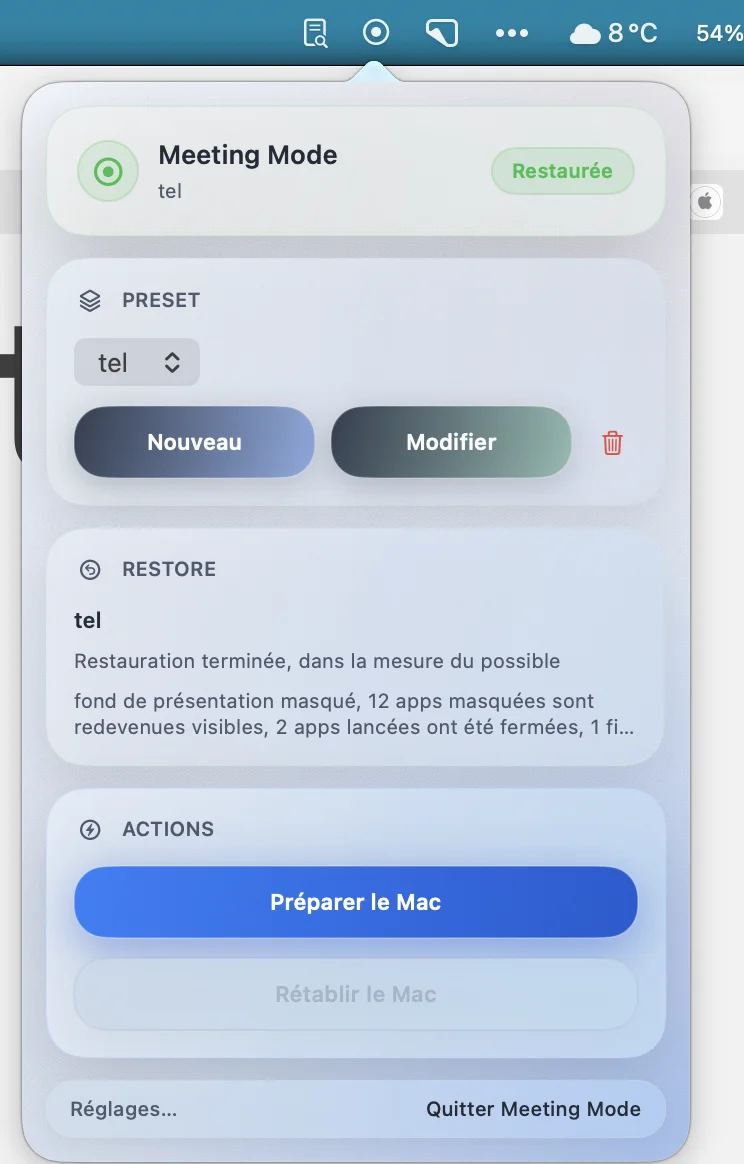
With one preset, Meeting Mode can:
Who it is for
In one click, Meeting Mode opens what you need and hides the rest. Your screen is ready to share.
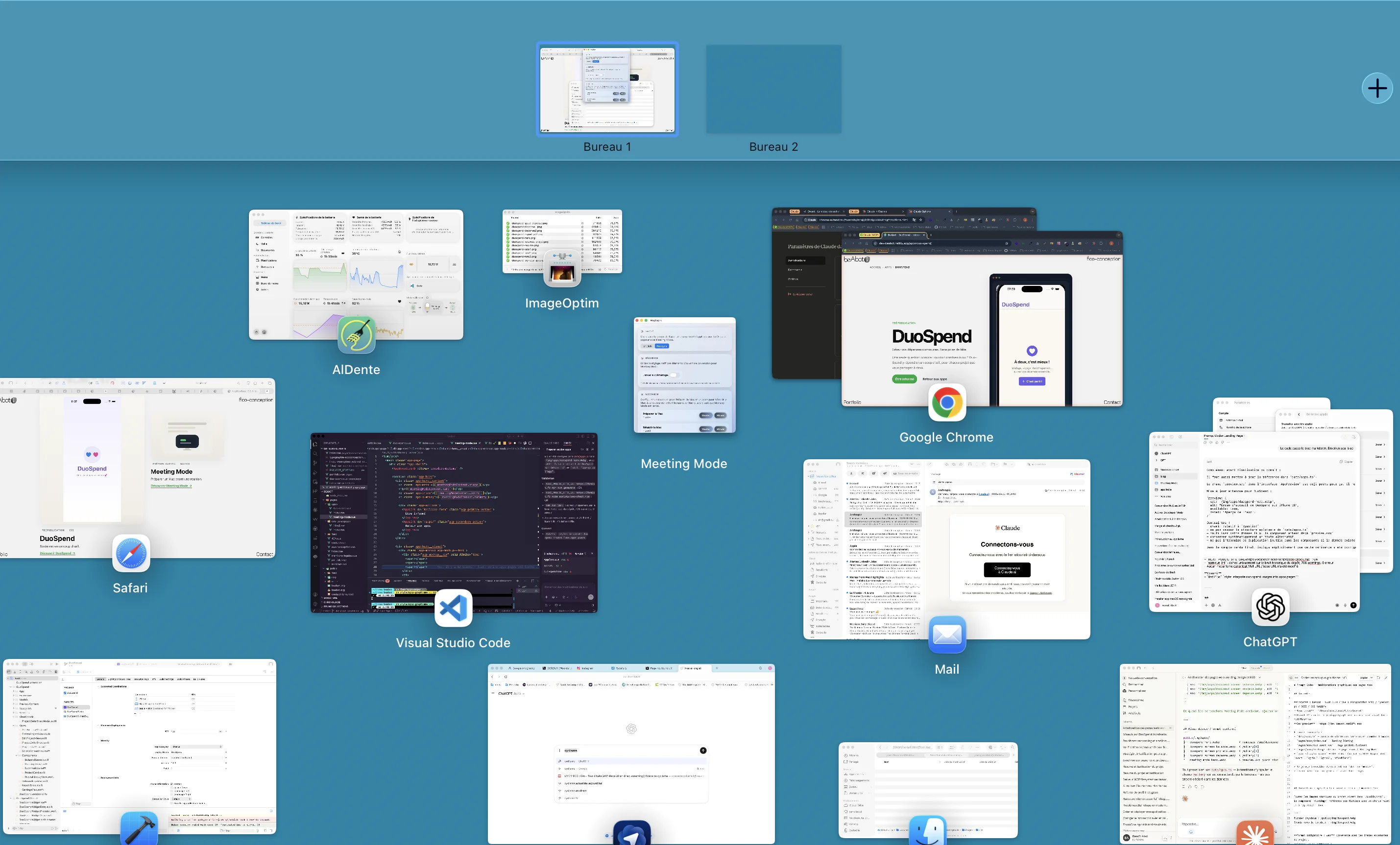
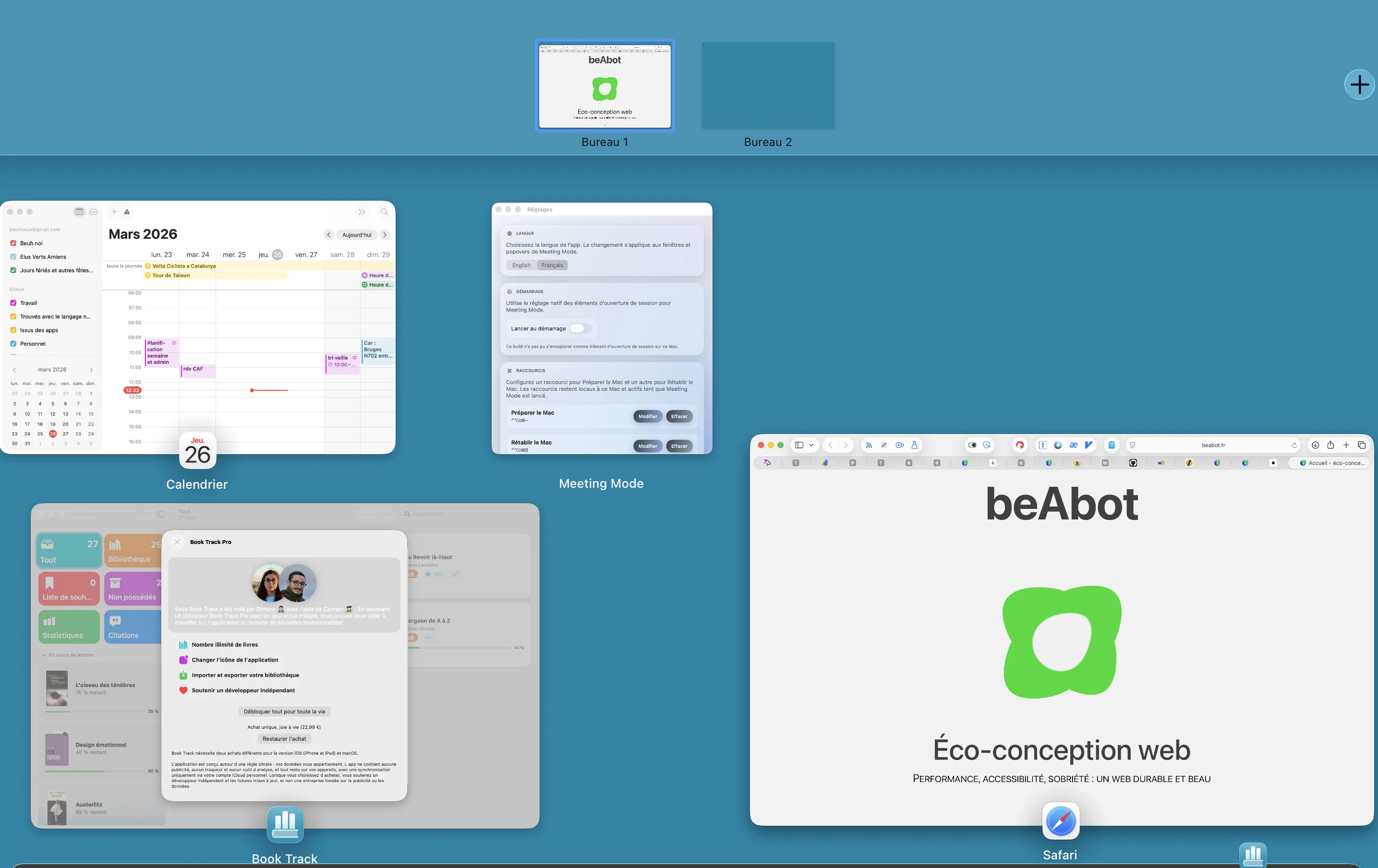
Four markers to understand the app flow.
A true one-click flow
Select a preset, launch the session, and the essentials are executed immediately.
No repeated setup. A preset stores your apps, links, and files. Start Session opens them, hides the rest, and shows a clean screen in one action.
Built for screen sharing
The goal is not generic productivity. The goal is a clean, readable, presentation-ready screen.
The session prepares the expected context and removes what gets in the way.
Clear restore, no magic
Meeting Mode attempts to restore only what it actually changed during the session.
The return stays understandable: the app does not promise to rebuild a desktop it did not touch.
Local first
Presets and session state are stored locally. No mandatory cloud, no mandatory account.
Useful information stays on the Mac to keep the flow simple.
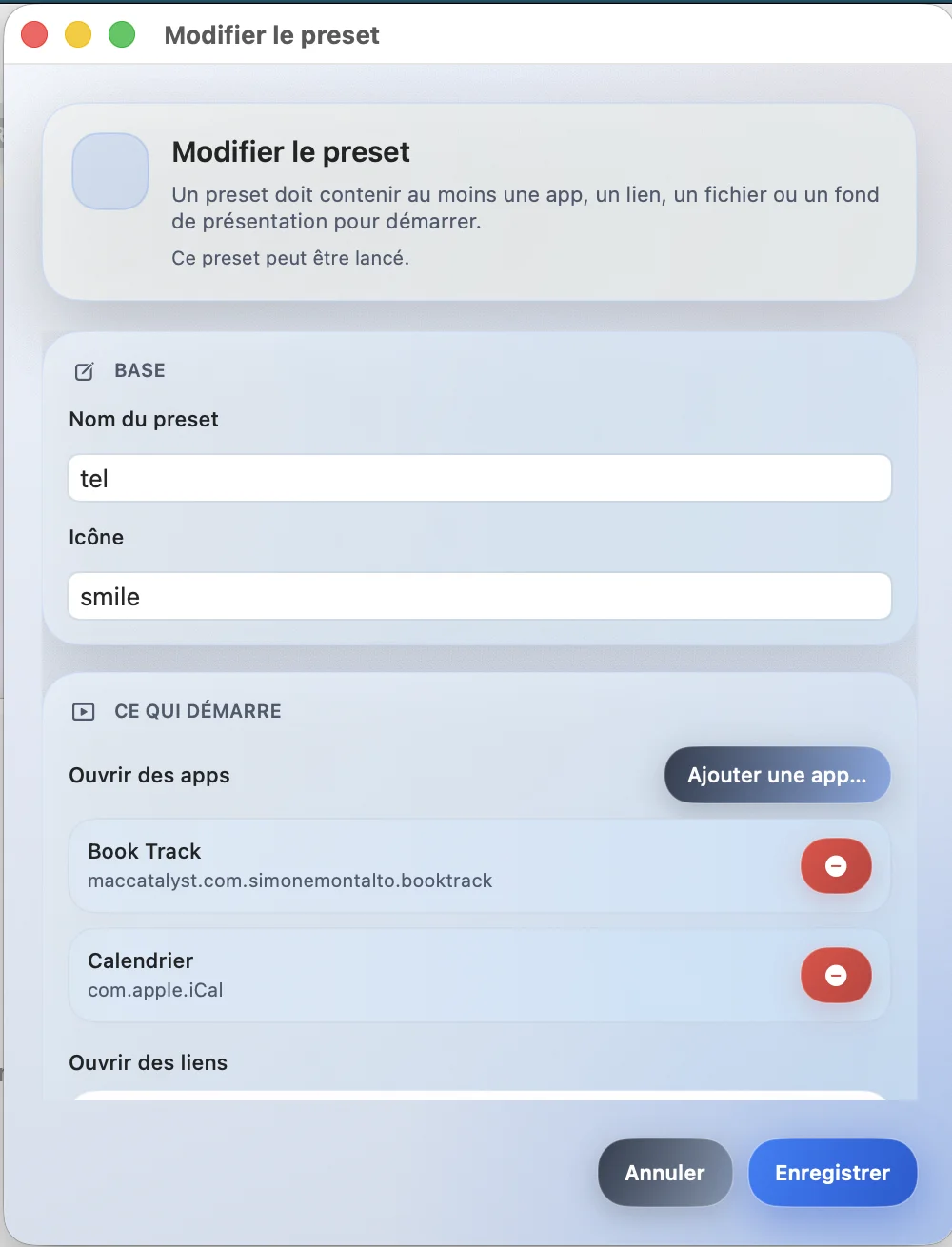
Main Meeting Mode screens.
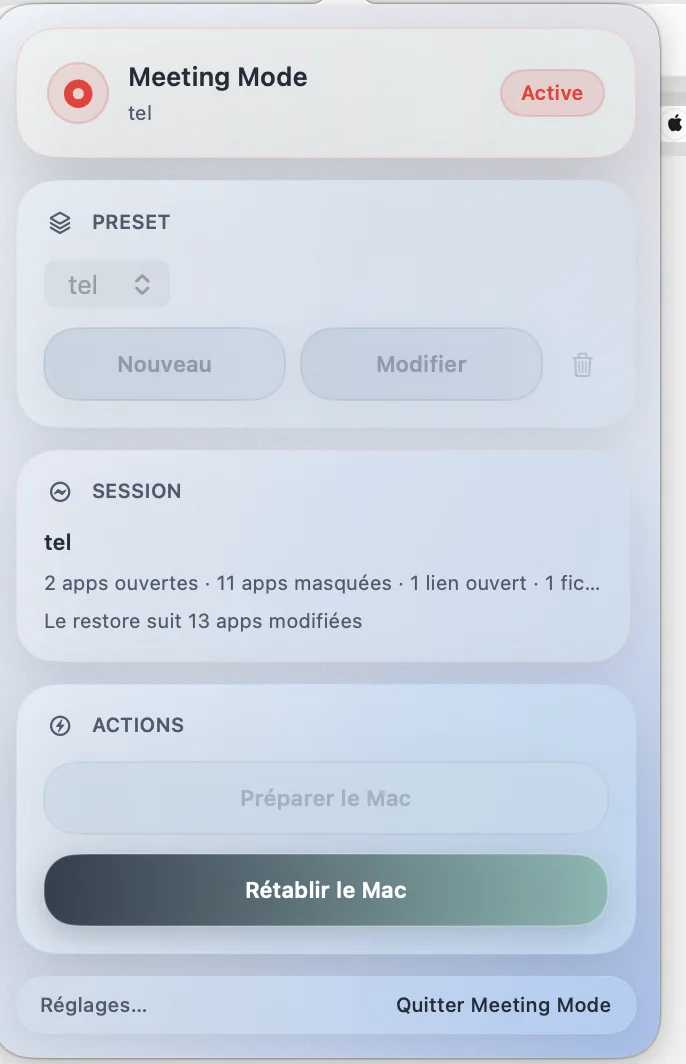
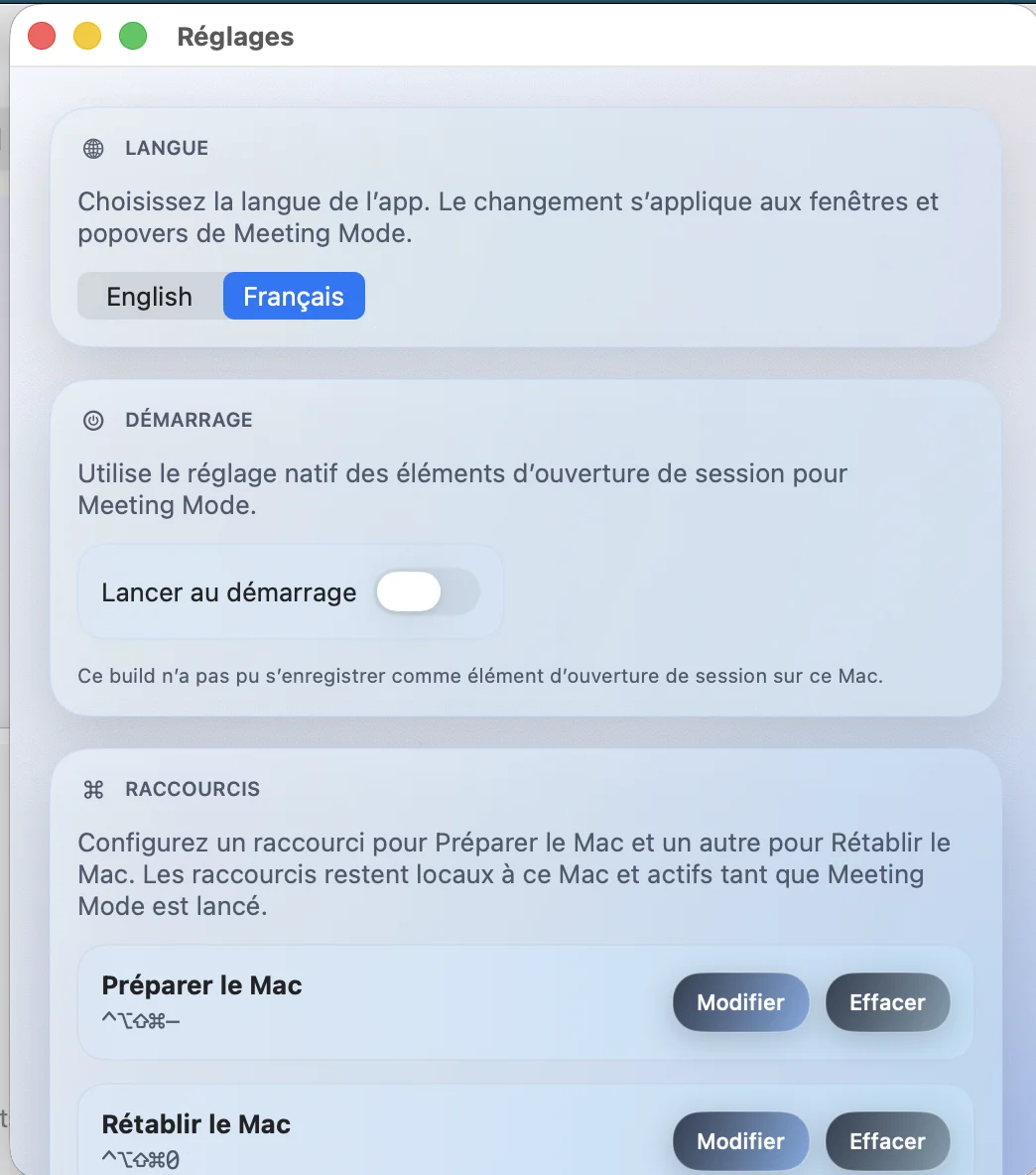
Frequently asked questions about behavior and limits.
Meeting Mode helps you prepare your Mac quickly before meetings, demos, interviews, or screen sharing. It can open relevant apps, links, and files, hide selected visible apps, show a clean screen, then offer a simple restore.
Meeting Mode is a macOS app designed for menu bar usage.
A preset is a reusable setup. It can include apps to open, links, local files, a checklist, and optional clean screen mode.
Start Session launches preset items, hides visible out-of-scope apps on a best-effort basis, enables clean screen if requested, then marks the session active.
Restore Session removes the overlay and attempts to restore only what Meeting Mode actually changed.
No. Meeting Mode stays intentionally conservative. Restore is best-effort and limited to actual session scope.
No. That is not the product goal. Meeting Mode is not meant to be an advanced desktop/window manager.
Planned behavior is mostly local: presets, preferences, and session state are stored locally. If this changes, privacy policy and App Store disclosures will be updated.
No. Planned usage does not require an account.
In the documented project state, the main flow does not rely on mandatory Accessibility, Automation, or Screen Recording permissions.
Yes. You can create, edit, and delete multiple presets.
Yes for core local behavior. URLs in presets naturally depend on network availability and target services.
No. It is outside the current product scope.
Because that would be misleading. Some cross-app macOS behaviors are inherently limited, so Meeting Mode prefers a clear and honest restore model.
Have a question, found a bug, or want to suggest an improvement for Meeting Mode?
Please check the FAQ above first: it covers the most common questions about setup, usage, data, and privacy.
If the issue persists, please include:
Meeting Mode respects your privacy.
This privacy policy explains what data is processed by the Meeting Mode app, for what purpose, and what choices you have as a user.
Meeting Mode is designed to operate primarily locally on your Mac. The app stores presets and preferences locally, manages an active session and a simple restore flow, and does not require a user account.
Locally stored data may include your presets, app preferences, selected language, configured shortcuts, the session state needed for restore, and file paths, URLs, or app references you added to your presets.
In the current version, data is stored locally on your device. Optional iCloud sync is planned for a future version; this policy will be updated accordingly.
Local data is used only to run the presets you configured, open the requested apps, links, and files, remember your settings, restore, on a best-effort basis, the session state actually changed, and preserve continuity after an unexpected closure.
Meeting Mode does not collect personal data on its servers in the standard local operation, does not create user accounts, does not track users for advertising purposes, does not sell data, does not profile behavior, and does not send your presets to its servers.
The app does not use targeted advertising or cross-app / cross-site tracking. If that changes, this policy will be updated accordingly.
Meeting Mode may use macOS system APIs required for its functionality, for example to open applications, open links, or display a visual overlay. The app is designed not to request more access than necessary.
We do not share personal data with third parties in the standard local operation. When you open a third-party website, link, document, or app through a preset, that third-party service is governed by its own terms.
Data stored by Meeting Mode is kept locally on your device for as long as you use the app or until you remove it.
Meeting Mode is designed to minimize unnecessary data exposure by relying on local storage whenever that is sufficient.
Depending on your country or region, you may have rights regarding your personal data. For any question, use the contact point provided on the product page.
Meeting Mode is not specifically directed to children. This policy may be updated if the app or its practices evolve.